














Trusted By


















As Seen In

Keywordtool.io is a great resource that not only scrapes data from Google but also YouTube, Bing, Amazon and Instagram to offer insights into search behaviour on a host of platforms. The subscription version of the tool can reveal search volumes and CPC information, but if you can do without that and are just looking for keyword inspiration, the free offering is spot on.

Keyword Tool is used by many leading SEO's to find long-tail and related keywords. Relying on Google's autocomplete feature, it gives you quick access to popular search terms.

Use Keyword Tool to find YouTube search phrases and keyword terms based on YouTube autocomplete.
The Best Alternative To Google Keyword Planner
A free keyword research tool that works 99.99% of the time and delivers long-tail keywords other tools hide from you - no account required.
Are you a business owner, online marketer or content creator? If so, most likely you would like more people to visit your website, read your content and buy your products or services. The easiest way to achieve it is to find out what your potential customers or readers are searching for on Google and create content on your website around these topics.
Every search is an expression of people's needs, wants, interests and desires. Imagine how your business would benefit if you could analyze search trends on Google, find search terms that are related to your business domain and customize content on your website to serve the actual needs of your customers.
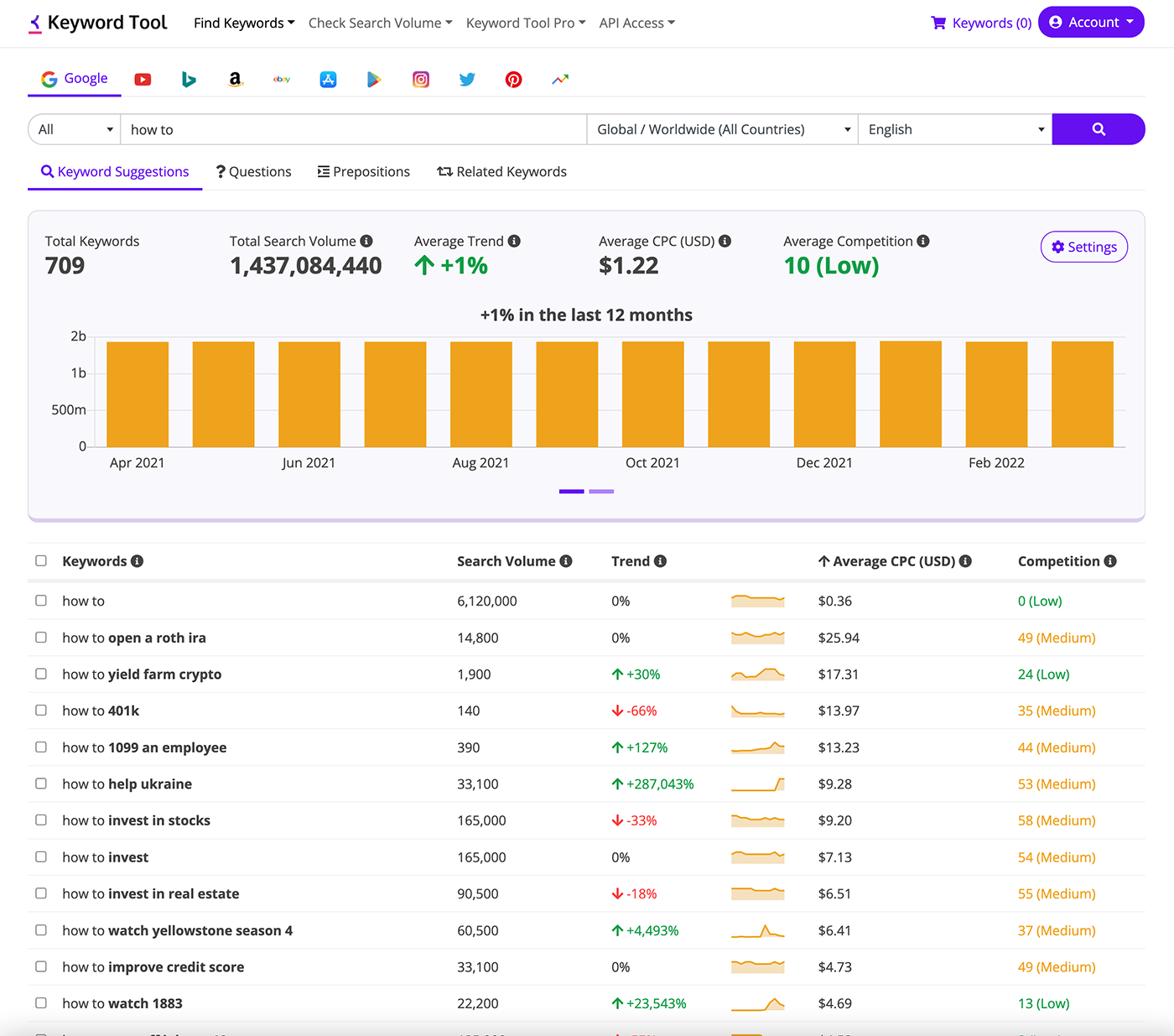
Keyword Tool will help you discover thousands of new long-tail keywords related to any topic by automatically generating Google's search suggestions. The keyword suggestions will be produced based on a Google domain and language that you choose.
See What Over 1 Million Marketers Already Know
From Fortune 500 SEO team leads to solo bloggers. They all use Keyword Tool. Here is what they say:



In a world with 1 billion SEO tools, Keyword Tool Pro is the only one that I absolutely use every day. Honing in on the perfect wording when targeting the biggest keywords in entertainment is as essential to my job as my coffee mug.

For the last 3 years, I've used Keyword Tool Pro to refine my content to match relevant search intent, find long-tail keyword opportunities, and crunch search volume for large keyword lists.

Keyword Tool Pro helps us identify long-tail keyword opportunities. It gives us great insight into keyword targeting and content topic opportunities that drive qualified and high converting traffic.
How Does Keyword Tool Work?

Keyword Tool is a free online keyword research instrument that uses Google Autocomplete to generate hundreds of relevant long-tail keywords for any topic.
Google Autocomplete is a feature within Google Search that makes it faster to complete searches. Google's automated systems generate predictions that help people save time by allowing them to quickly complete a search.
Autocomplete predictions reflect real searches that have been done on Google. To determine what predictions to show, Google's systems look for common queries that match what someone starts to enter into the search box, considering factors like language, location, and trending interest.
Keyword Tool helps you employ Google Suggest for keyword research. It extracts Google keyword suggestions and presents it to you in an easy-to-understand interface.
To generate long-tail keyword suggestions, Keyword Tool prepends and appends the search term which you specify with different letters and numbers, places it into Google search box and pulls out keyword suggestions. Best part, all of it happens in a split of a second!
Using Keyword Tool, you can choose a specific Google domain out of 190+ supported domains and one out of 120+ languages that will be used to produce keyword suggestions.
The free version of Keyword Tool can generate up to 750+ keywords from Google autocomplete in seconds.
The advanced version of Keyword Tool, Keyword Tool Pro, provides more keywords in comparison to the free version and offers a handful of other useful features. You can find more information about Keyword Tool Pro and subscribe at this page.
You can quickly find and analyze thousands of relevant long-tail keywords with free or paid version of Keyword Tool and use them for content creation, search engine optimization, pay-per-click advertising or other marketing activities.
Why Is Keyword Tool One Of The Best Free Keyword Research Tools?
There are few places on the web where you can find keywords that people type in Google search box. One of the most popular sources of this information is Google Keyword Planner.
Unfortunately, data presented by Google Keyword Planner is meant to be used for paid advertising inside Google Ads platform. The keywords that you will find with this tool might be too generic and not very descriptive. In other words, barely useful for content marketing, blogging, or SEO.
Keyword Tool uses a different primary source to generate keyword ideas - Google Autocomplete. While some data is enriched with information from Google Keyword Planner, the keyword suggestions themselves come directly from what people are actually typing into Google search.
Google Autocomplete, the source of data employed by Keyword Tool, was created by Google to make search experience for people easier and faster.
Basically, Google shows the autocomplete suggestions whenever you start typing anything into Google search box. It is in Google's best interest to show the most relevant keywords in the autocomplete suggestions. Keywords that would help Google to retrieve the most relevant websites and help users find the most relevant content for their search query.

Autocomplete is a feature within Google Search that makes it faster to complete searches that you start to type. Our automated systems generate predictions that help people save time by allowing them to quickly complete a search that is useful to them.
Find The Keywords Hidden In Google Keyword Planner
Keyword Planner was built for advertisers, not for SEO. It hides profitable long-tail keywords with thousands of monthly searches. Keyword Tool surfaces them.
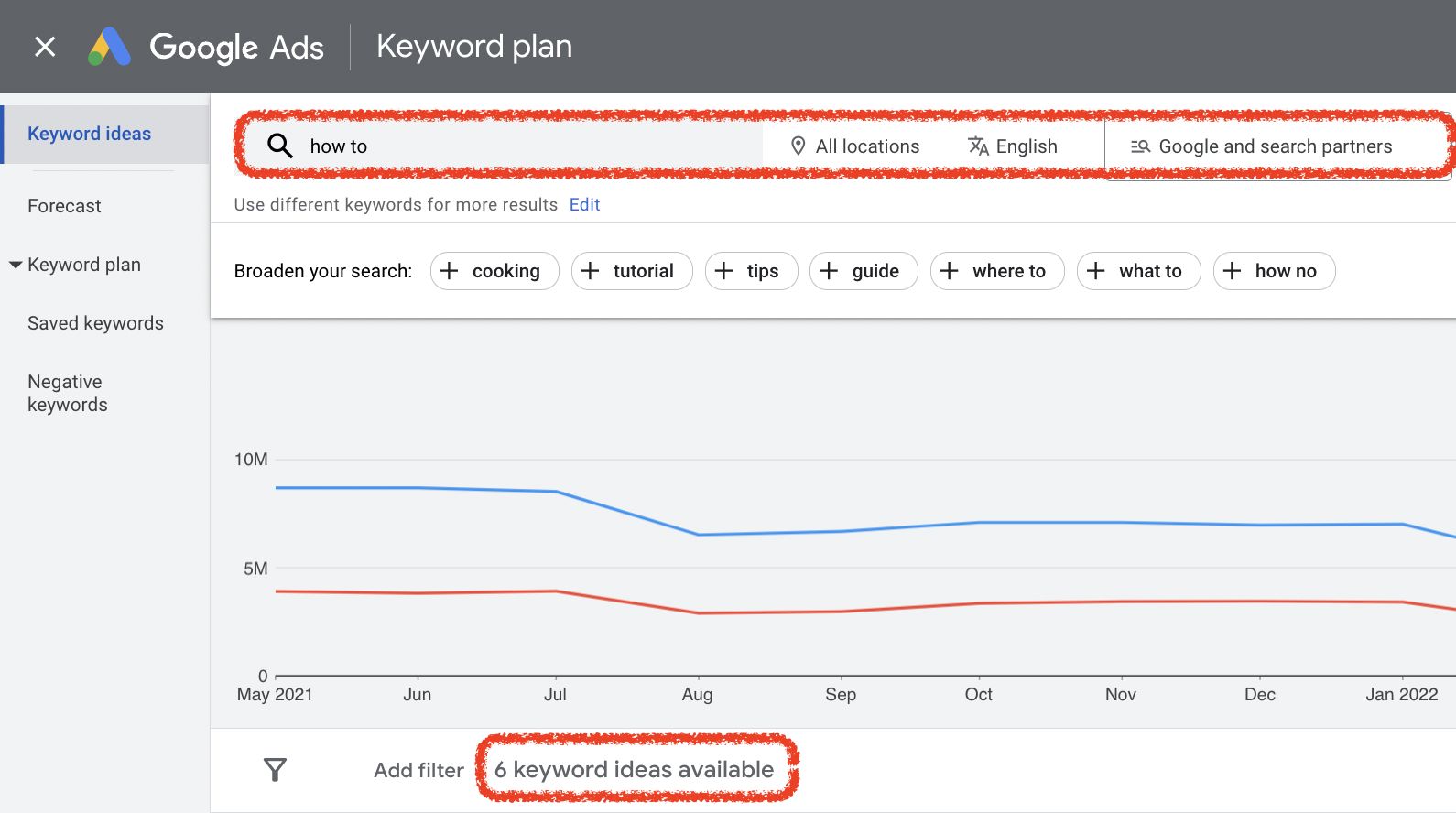
Did you notice that you are unable to use Keyword Planner without a Google Ads account?
There is a reason for that.
Keyword Planner - is a tool created for advertisers and is not meant for content creation or SEO. Yes, it does contain valuable data about keywords such as competition, suggested bid, average monthly searches, etc.
But, at the same time, it will hide profitable long-tail keywords with thousands of monthly searches that can be used to create content for your website. Some digital marketing professionals think that it is done on purpose and helps Google to increase the competition and cost-per-click for a limited number of keywords.
Keyword Tool is the best alternative to Google Keyword Planner for content marketing and SEO as it does not hide popular keywords that can be used to create content for your website.
Keyword Tool For SEO And Content Creation
If you want your website to get traffic from Google or other search engines, you need to make sure that it contains content created around the right keywords. What this means is that you should be utilizing words that your potential audience is already using while looking for similar content, products or services online. This process is called keyword research, and it is the foundation of any successful SEO strategy.
The best way to discover these keywords, as it was proven by thousands of thriving websites and online businesses, is to use keywords from Google search suggestions as a base to create content for your website. Keyword Tool is a powerful keyword finder that makes this process fast and easy.
By creating content around the popular keywords that your audience is using to find information online, you are already giving great value to your website visitors. In return, Google will reward your web property with higher rankings which entail traffic increase.

Keyword Tool For International SEO
190+
Countries supported
120+
Languages available
68,000+
Geo locations
If you are looking for keywords in languages other than English, you will find Keyword Tool's features very useful. Keyword Tool allows you to pull keywords from 190+ Google domains and use 120+ Google language interfaces to generate keyword suggestions. That way we make sure that the generated keywords will be relevant to the country and/or language that you are creating your content for.
Keyword Tool Pro fully supports all Google domains and languages and provides 100% accurate search volume, cost-per-click and Google Ads Competition Data for keywords in all 190+ supported countries, 68,000+ individual locations and 50+ languages.
Keyword Tool For Advertising
If you are running pay-per-click (PPC) advertising campaigns and target your ads based on keywords that users type in Google, you know how important it is to select the right keywords for your campaigns.
The relevant keywords that you target with your ads will bring the right audience to your website. Showing your ads to people that type relevant keywords will result in higher click-through rate (CTR), lower cost-per-click (CPC) and higher conversion rates for your business. As a result, you will spend less money on advertising and generate a better return on investment.
Keyword Research Beyond Google
Your customers do not just search on Google. They search on YouTube, Amazon, TikTok, Instagram, Copilot, Perplexity, Reddit, Pinterest. Each platform pulses with different keywords and different intent.
Keyword Tool supports 17 search platforms - research all of them in one workflow.
Google
 YouTube
 Bing
Bing
 Copilot
 Perplexity
 Amazon
 eBay
eBay
 App Store
 Play Store
 Instagram
 X (Twitter)
 Reddit
 Pinterest
 Etsy
Etsy
 TikTok
 Naver
Naver
 Google Trends
The same keyword can mean very different things depending on where someone searches for it. Someone typing "how to create" on YouTube wants a tutorial video; the same search on Google could mean a blog post or step-by-step guide. Each platform's autocomplete reflects its own audience intent - and Keyword Tool gives you separate keyword sets for every one.
Keyword Tool Pro - Search Volume, Trends And More
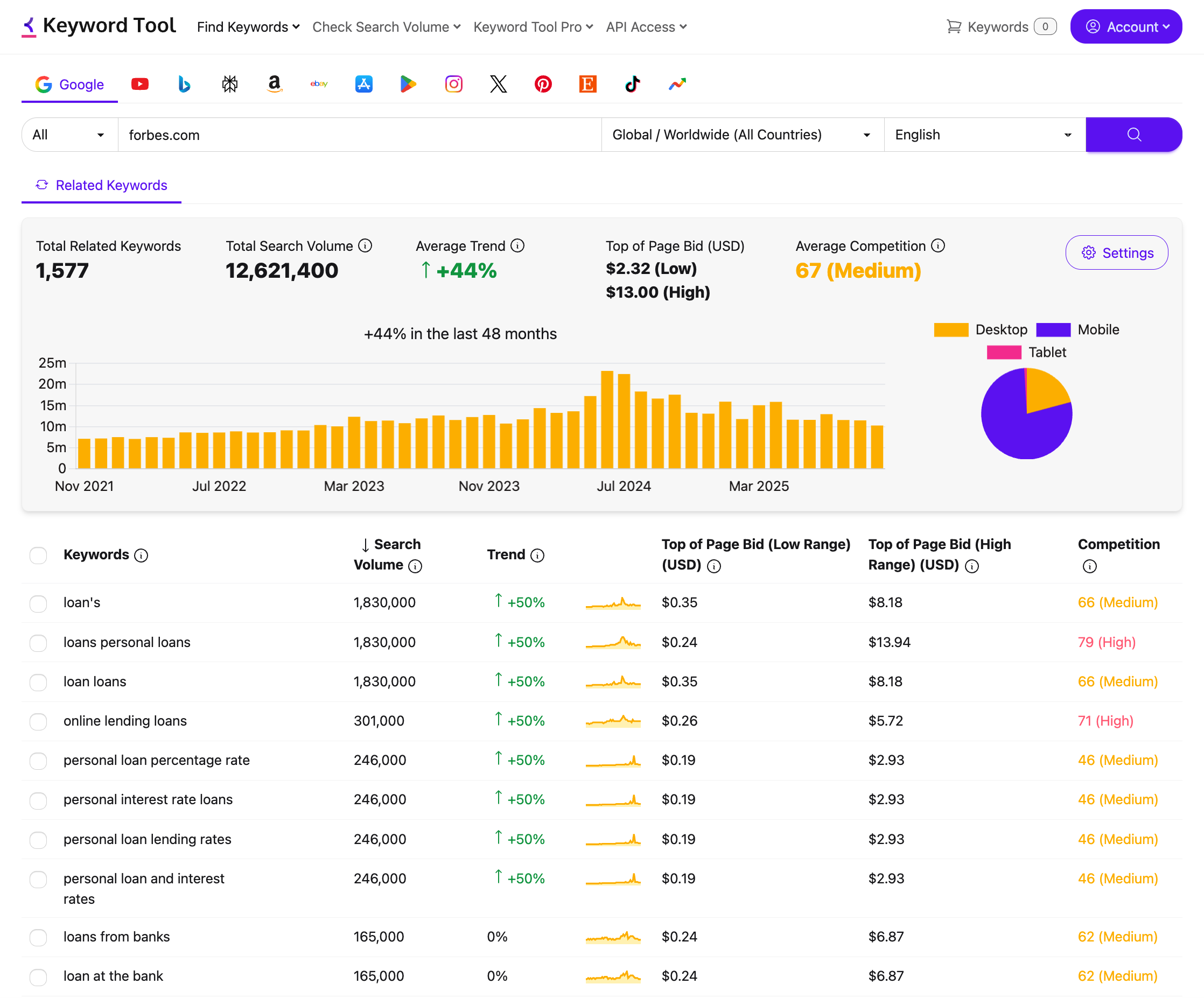
Every keyword comes with search volume, CPC, competition, and historical trend data. Upload 1,000 keywords in bulk, export to CSV or Excel, and plug into the API or MCP server for AI workflows.
While the free version of Keyword Tool is a great way to generate keyword ideas, many marketers and SEO professionals need more data to make the right decisions. That is what Keyword Tool Pro is built for.
With Keyword Tool Pro, every keyword comes with search volume, cost-per-click, competition scores, and historical trend data. You can see exactly how many people are searching for a keyword every month, whether that keyword is growing or declining in popularity, and how much advertisers are paying for it.
Already have your own keyword list? You can upload up to 1,000 keywords in bulk and get search volume data for all of them at once. When you are done with your research, you can export everything to CSV or Excel for further analysis or to share with your team.
Every Keyword Tool Pro subscription also includes access to the Keyword Tool API and MCP server for AI integration, so you can automate your keyword research workflow or connect Keyword Tool to AI assistants like Claude and ChatGPT.
$ claudeYou: Research the top keywords for "wireless earbuds" across Google and Bing. Find low-competition terms with 500+ monthly searches. Export to CSV.Claude: I will search both platforms using Keyword Tool MCP.╭─ keyword_search(keyword="wireless earbuds", platform="google", country="us")╯─ Found hundreds of keywords. Filtering for volume > 500 and lower competition...╭─ keyword_search(keyword="wireless earbuds", platform="bing", country="us")╯─ Found hundreds more with comparable intent patterns...Claude: Done. I pulled a broad set across both platforms and built a shortlist: ✓ A focused list of high-intent candidates from Google ✓ A second list from Bing with comparable intent patterns Exported to wireless-earbuds-keywords.csvFrequently Asked Questions

KeywordTool.io has enabled us to quickly identify SEO growth opportunities, do keyword research at scale, and gather data at different geo levels. Its intuitive UX and advanced keyword filtering have played a significant role in the international expansion of our SEO program. Personally, I have used KeywordTool.io for more than 6 years, and it has proved to be an excellent software for start-ups, agencies and enterprises.
Start Using Keyword Tool Now
Find Keywords